









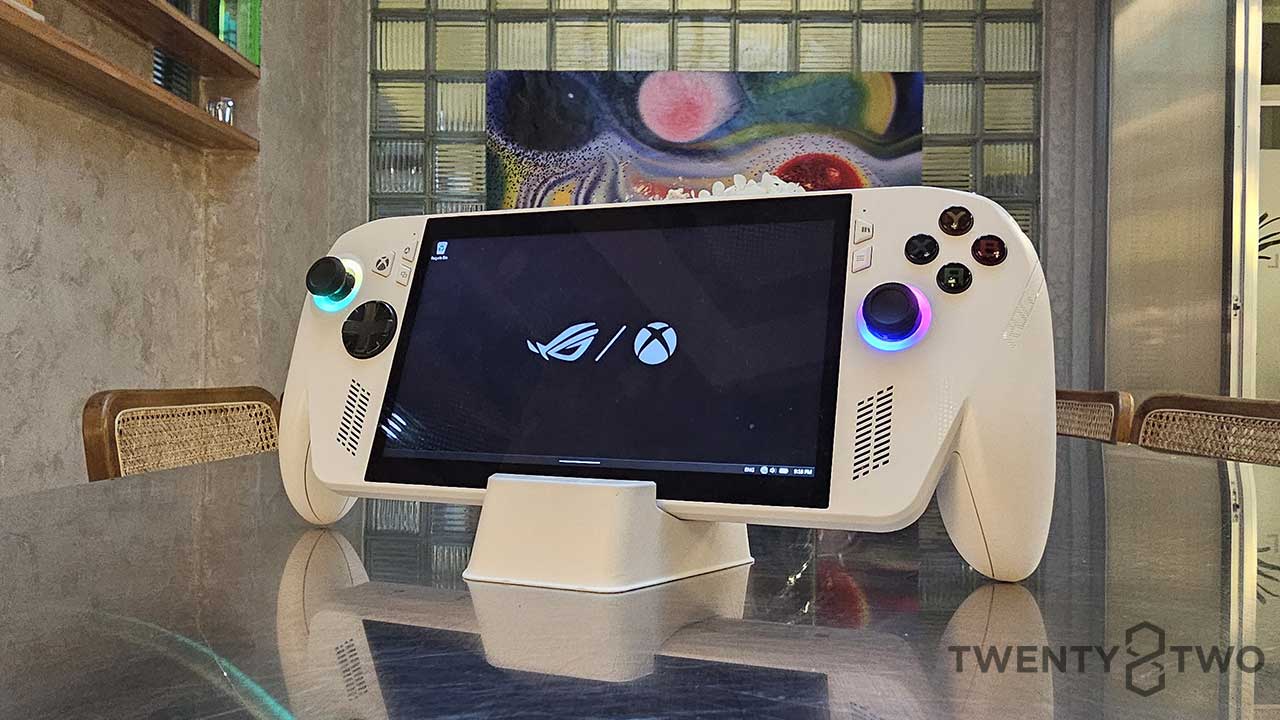
We are spoiled for choice. Back then, a desktop PC was where you could work, game, and consume media. That meant going home before you could indulge after work. Nowadays, we have smartphones, laptops, tablets, and the return of handheld gaming consoles. And we’re not even required to have a separate device for each need anymore. This flexibility was the factor we wanted to explore when we were handed the ASUS ROG Xbox Ally for review.
ASUS ROG Xbox Ally: Specs
7-inch FHD (1920 x 1080) 16:9 IPS display
Gorilla Glass Victus
Touch Screen (10-point multi-touch)
120Hz refresh rate
10 nits min 500 nits max
AMD FreeSync Premium (Variable Refresh Rate)
AMD Ryzen Z2 A Processor 2.8GHz (6MB Cache, up to 3.8 GHz, 4 cores, 8 Threads)
AMD Radeon Graphics GPU
16GB LPDDR5-6400 dual-channel RAM (4GB VRAM allocation)
512GB PCIe 4.0 NVMe M.2 SSD storage
1x 3.5mm Combo Audio Jack
2x USB 3.2 Gen 2 Type-C with DisplayPort 1.4 / Power Delivery 3.0
1x UHS-II microSD card reader
A B X Y buttons
D-pad
L & R Hall Effect analog triggers
L & R bumpers
L & R grip buttons
2x thumbsticks
Wi-Fi 6E connectivity
Bluetooth 5.2
60Wh Li-ion battery
Type-C, 65W AC Adapter
ASUS ROG Ybox Ally: Design and Build Quality
Right out the box, the ROG Xbox Ally is a hefty machine. But heft doesn’t always mean cumbersome. The remodeled hand grips feel great and mimic the Xbox controller a bit. It’s a big design improvement from the original ROG Ally a few years back. It’s probably the most unique-looking hand-held console in the market today, and that is actually a big positive for us. The device is also balanced so the 670g weight doesn’t really feel all that heavy in your hands, especially when you’re in the thick of gaming.
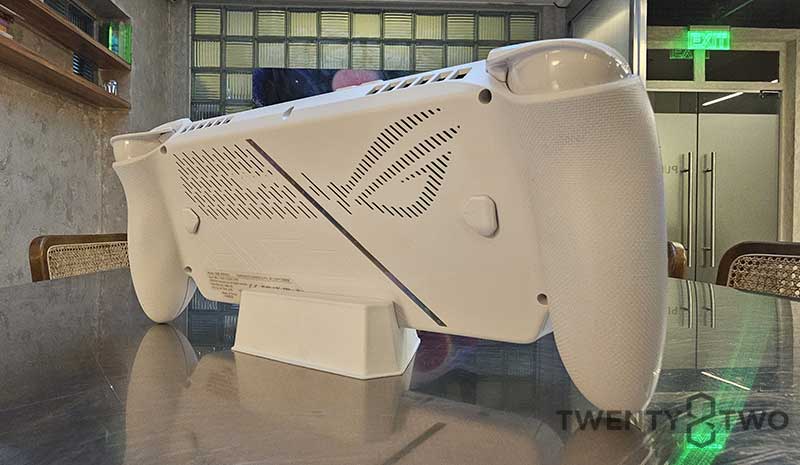
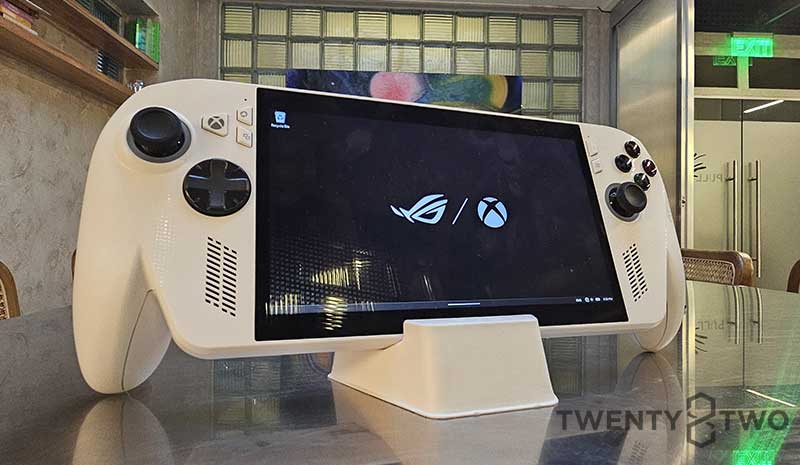
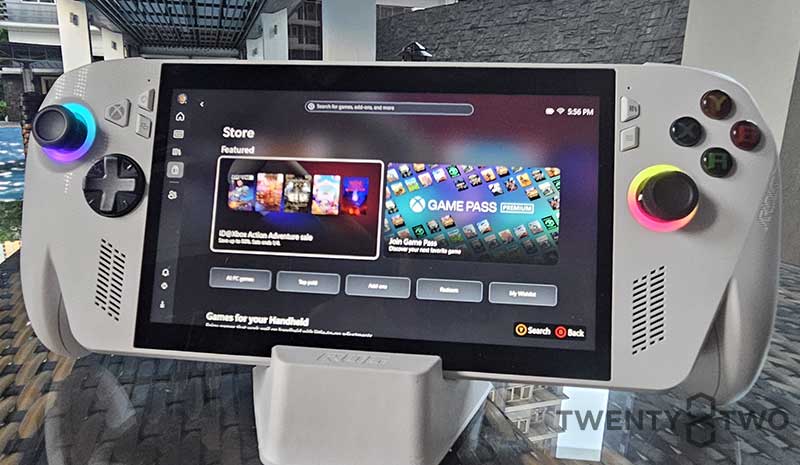
The ROG Xbox Ally is also peppered with buttons; more than the usual for a handheld console, we feel. There’s a Command Center button, an Xbox button, a Library button, a View button, and a Menu button. Given the possible use cases for this device, we do feel that each of these buttons is justified, but let’s face it: the display is a touch screen, and we would honestly do the inputting via the screen rather than buttons. Of course, the added quality of life and speed of access are still appreciated.
Display
ASUS retained the 7-inch display from the first generation Ally and it fills that sweet spot of giving your eyes enough real estate to game while keeping things compact enough to still make it a handheld and not venture into tablet territory. The 120Hz refresh rate on a 7-inch screen feels premium, especially for someone with bad eyes. We think that any more bump to the refresh rate will go unnoticed with a screen this small anyway.
The display is actually one of the standout features we enjoyed on the ROG Xbox Ally. Gaming is a joy, watching videos is a great experience, and navigating desktop mode feels like you’re looking at a premium laptop display. This will factor in a lot in how we actually used the device: a balance between gaming and actual work.
Connectivity and Ports
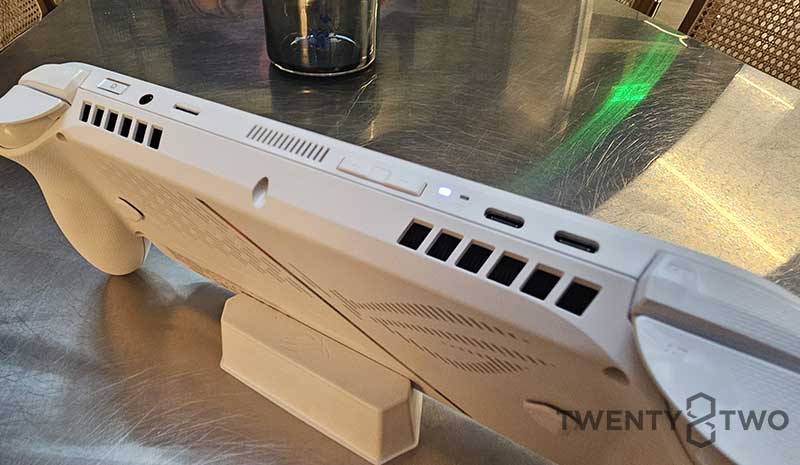
The device features two Type C ports. One is for power, one is for input/output whether you want to plug in a USB hub (like we did) or to plug it into a monitor for home use. The package comes with a chunky 65W Type C charger as well. In our experience, charge times are pretty fast, taking less than two hours to charge from empty to full, and around 30 minutes to get out of the red and into 50%. You can further tweak the charging limit to preserve the battery as well as Sleep settings in Windows mode to make sure things will be smooth sailing for the long run.
Performance
This is where our review slightly differs from other ROG Xbox Ally reviews of our fellow tech reviewers. For us, we wanted to see how far we can take the ROG Xbox Ally in terms of everything we need. For a week, we used the device exclusively for everything. This meant using it for work, for late-night media consumption, and of course for gaming.
When it came down to work, the device was easy enough to set up. We used a Type C USB hub to connect the ROG Xbox Ally to our monitor via and HDMI cable (connected to the USB Hub), a wired keyboard, and a wired mouse. Booting the device automatically sends you into Xbox mode. It’s a minor annoyance when you want to work but we get it: it’s a gaming-first device. A simple flick from the bottom of the display will allow you to switch between Xbox mode and Windows mode, so before you plug the device into the monitor, remember this step.
Once the monitor is displaying Windows, we’re off to the races. Most of our files are online anyway, so we really didn’t download anything app-wise except for a video editing app. From spreadsheets to PowerPoint decks, from website CMS to even editing the unboxing video, things went smoothly with no hiccups.
Halfway through the work, we decided to simulate an emergency situation: You’re outside the house, you need to work on something, and a smartphone and an ROG Xbox Ally were the only devices you had. It worked for the most part of course. We connected to the internet via the phone, and the slightly bigger screen sort of increased the productivity. However, our bad eyes had a harder time than normal looking through line items on a spreadsheet. On a PowerPoint deck, however, the combined mouse and touchscreen inputs were great. Of course, writing articles was easy enough thanks to the smooth and bright display.
The media consumption part of the test wasn’t as great. Don’t get us wrong, the display was really shining through. Videos were smooth and the 120Hz refresh rate is superb, no matter the size of the screen. Our problem stemmed more from the angles we had when we were watching videos. Lying down in bed is not the best way to do this. Watching from a sitting position while the device was propped on a table is the best way, of course.
The gaming part of the review was a no-brainer. We ran Arknights: Endfield as more of a top-end test for the graphics, and the ROG Xbox Ally was able to output 60 frames at tweaked settings. The game can be a challenge to run on max settings, but dialing the graphics down to slightly above medium on the device allowed for very smooth gameplay at the desired frame rate. Playing on the device itself was a rocky experience for us, but that’s because we were used to running it on a mouse and keyboard. Docked into a battlestation, however, the ROG Xbox Ally performed very well. No observable screen tears nor lag while playing occurred even when unplugged. There was a bit of heat, but it was tolerable enough to play.
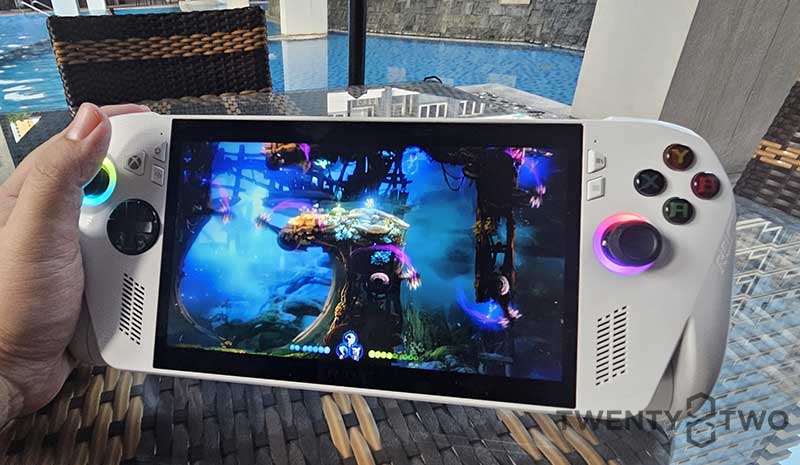
The other games we played were some of our favorite Metroidvania/platformers, particularly Ori and the Will of the Wisps. This game ran so smoothly on the ROG Xbox Ally, and the visuals were rendered even more beautifully than we remember. The photo was the best one we took, but it still does not give the game or the device justice. Similarly, Bloodstained: Ritual of the Night performed very well, with no real hiccups or problems. While we fully know that these games are far from the benchmarking games that are normally used to push the limits of the device, playing these games on a handheld console felt like the right mix of old school PS Vita nostalgia meets new school graphics power.
ASUS ROG Xbox Ally: The Verdict
For a device that clocks in at P36,995, the ROG Xbox Ally is a steal, especially taking into consideration what it can do outside of pure gaming. The display is definitely one of the highlights of the device, and don’t forget the programmable shoulder and back buttons. It offers a versatile option for someone who enjoys being able to game on the go but can also become a mobile workstation if the need arises.
For accessories, the bare minimum we would recommend is a Type C USB Hub, a height-adjustable device holder (metal would be best), and a durable carrying case that can fit all these plus the ROG Xbox Ally. If you plan on using the device as a portable workstation, adding a minimalist Bluetooth keyboard and mouse combo won’t set you back too much, as well as a small deskmat to keep things tidy.
Fans of live service multiplayer games might not be the target for the device, but rather, gamers who enjoy more intimate, story-driven single-player games. If you love bullet hell/heaven games, or roguelikes, or like us, who are diehard Metroidvania fans, then this device is definitely for you.

JD Pablo Editor-in-Chief
JD Pablo is the current Editor-in-Chief of twenty8two. Enjoys video games, pizza, banana bread, and tea. Takes coffee black.
No comments so far.
Be first to leave comment below.